

Mobile performance optimization is a critical component of modern web development, particularly for free websites. As mobile device usage continues to grow, ensuring optimal website performance on smartphones and tablets is essential rather than optional. Mobile performance optimization encompasses strategies and techniques designed to improve website speed, responsiveness, and user experience on mobile devices.
This is especially important for free websites, which typically operate with limited resources and must maximize their efficiency. Understanding mobile performance optimization enables developers to create websites that function effectively across multiple devices. An optimized mobile site delivers measurable benefits, including increased user engagement, reduced bounce rates, and better search engine rankings.
This article examines the significance of mobile performance, provides practical optimization strategies, and identifies tools available to help achieve fast and responsive website performance.
Key Takeaways
- Mobile performance optimization is crucial for enhancing user experience on free websites.
- Responsive design ensures websites adapt seamlessly to various mobile devices.
- Techniques like browser caching and minification significantly boost mobile loading speeds.
- Image optimization reduces load times, improving overall mobile site performance.
- Continuous testing and monitoring help maintain and improve mobile website efficiency.
Understanding the Importance of Mobile Performance for Free Websites
The significance of mobile performance cannot be overstated, especially for free websites that often rely on organic traffic to grow their audience. Research shows that over half of all web traffic now comes from mobile devices. If your website is slow or difficult to navigate on a smartphone, users are likely to leave and seek out a competitor’s site that offers a better experience.
This is particularly critical for free websites, as they may not have the same brand recognition or loyalty as established businesses. Moreover, search engines like Google prioritize mobile-friendly websites in their rankings. This means that if your site is not optimized for mobile use, it may struggle to appear in search results, limiting your visibility and potential audience.
By focusing on mobile performance optimization, you not only enhance user experience but also improve your chances of being discovered by new visitors. In essence, optimizing for mobile is an investment in the future success of your free website. Need a free website? Click here.
Tips for Optimizing Mobile Performance for Free Websites

When it comes to optimizing mobile performance for your free website, there are several practical tips you can implement right away.
Users expect websites to load quickly; ideally, within three seconds.
To achieve this, consider minimizing the use of heavy scripts and large files that can slow down loading times. Tools like Google PageSpeed Insights can help you identify elements that may be hindering your site’s performance. Another effective strategy is to streamline your content.
Mobile users often prefer concise information that is easy to digest. Break up long paragraphs into shorter ones, use bullet points for lists, and incorporate headings to guide readers through your content. This not only improves readability but also enhances the overall user experience on mobile devices.
Additionally, consider reducing the number of ads on your site; excessive advertising can frustrate users and lead them to abandon your page.
Utilizing Responsive Design for Mobile Optimization
Responsive design is a fundamental aspect of mobile performance optimization that ensures your website adapts seamlessly to different screen sizes and orientations. By using responsive design techniques, you can create a single website that provides an optimal viewing experience across all devices, from smartphones to tablets and desktops. This approach eliminates the need for separate mobile sites, simplifying maintenance and updates.
To implement responsive design, start by using flexible grid layouts that adjust based on the screen size. CSS media queries are also essential; they allow you to apply different styles depending on the device’s characteristics. For example, you might want to increase font sizes or adjust image dimensions for smaller screens.
Many free website builders, including WordPress, offer responsive themes that automatically adjust to various devices, making it easier than ever to create a mobile-friendly site.
Leveraging Browser Caching and Minification for Improved Mobile Performance
| Metric | Description | Recommended Value/Standard | Importance for Mobile Optimization |
|---|---|---|---|
| Page Load Time | Time taken for the website to fully load on a mobile device | Under 3 seconds | Critical for user retention and SEO ranking |
| Responsive Design | Website layout adapts to different screen sizes | Yes (using CSS media queries or frameworks) | Ensures usability and readability on all devices |
| Touch Target Size | Size of buttons and links for easy tapping | At least 48×48 pixels | Improves navigation and reduces user errors |
| Font Size | Text size for readability on small screens | Minimum 16px for body text | Enhances readability without zooming |
| Viewport Meta Tag | HTML tag to control layout on mobile browsers | <meta name=”viewport” content=”width=device-width, initial-scale=1″> | Essential for proper scaling and layout |
| Image Optimization | Reducing image file sizes without quality loss | Use compressed formats like WebP or optimized JPEG/PNG | Speeds up load time and saves bandwidth |
| Mobile-Friendly Navigation | Menus and navigation easy to use on mobile | Hamburger menus or collapsible menus | Improves user experience and accessibility |
| Use of AMP (Accelerated Mobile Pages) | Framework to create fast-loading mobile pages | Optional but recommended for content-heavy sites | Improves speed and search engine visibility |
| Pop-ups and Interstitials | Overlays that can block content on mobile | Minimize or avoid | Prevents user frustration and SEO penalties |
| Mobile SEO | Optimization for mobile search engines | Use mobile-friendly keywords and structured data | Increases mobile search traffic |
Browser caching and minification are two powerful techniques that can significantly enhance the performance of your free website on mobile devices. Browser caching allows frequently accessed files—such as images, stylesheets, and scripts—to be stored locally on a user’s device. This means that when they revisit your site, their browser can load these files from cache rather than downloading them again, resulting in faster load times.
To enable browser caching on your free website, you can modify your server settings or use plugins available on platforms like WordPress. Additionally, minification involves removing unnecessary characters from your code—such as spaces, comments, and line breaks—without affecting its functionality. This reduces file sizes and speeds up loading times.
Many plugins can automate this process for you, making it easy to implement without requiring extensive technical knowledge.
Implementing Image Optimization for Faster Load Times on Mobile Devices
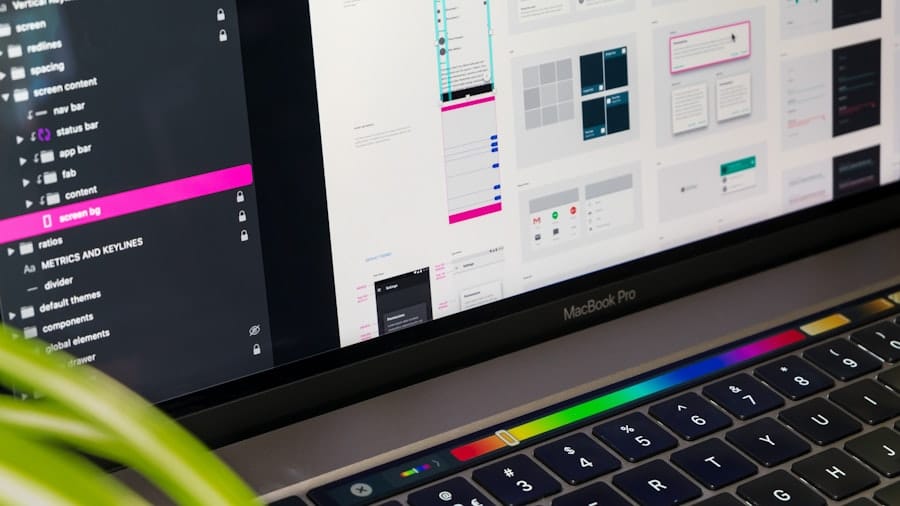
Images are often one of the largest contributors to slow loading times on websites. Therefore, optimizing images is a crucial step in enhancing mobile performance for your free website. Start by choosing the right file format; JPEGs are typically best for photographs due to their smaller file sizes, while PNGs work well for images with transparency or text.
Next, consider compressing your images before uploading them to your site. There are numerous online tools available that can help you reduce file sizes without sacrificing quality.
HTML’s `srcset` attribute allows you to specify multiple image sources for different screen resolutions, ensuring that users receive the most appropriate image size for their device.
Utilizing Accelerated Mobile Pages (AMP) for Free Websites
Accelerated Mobile Pages (AMP) is an open-source framework designed to create fast-loading web pages specifically for mobile devices. By implementing AMP on your free website, you can significantly enhance user experience by providing instant loading times and smooth navigation. AMP achieves this by simplifying HTML code and restricting certain elements that may slow down page rendering.
To get started with AMP, you can use plugins available for platforms like WordPress that automatically convert your existing pages into AMP-compatible versions. This process typically involves creating a separate AMP version of each page while maintaining the original desktop version. The result is a streamlined experience for mobile users that can lead to higher engagement rates and improved search engine visibility.
Testing and Monitoring Mobile Performance for Continuous Improvement
Once you’ve implemented various optimization strategies, it’s essential to test and monitor your mobile performance regularly. Tools like Google PageSpeed Insights and GTmetrix provide valuable insights into how well your site performs on mobile devices and offer suggestions for further improvements. Regular testing allows you to identify any new issues that may arise as you add content or make changes to your site.
Additionally, consider using analytics tools to track user behavior on your mobile site. Understanding how visitors interact with your content can help you make informed decisions about future optimizations. For instance, if you notice high bounce rates on specific pages, it may indicate that those pages need further refinement or faster loading times.
Continuous monitoring ensures that your free website remains optimized for mobile users over time. In conclusion, optimizing mobile performance is vital for anyone looking to create a successful free website. By understanding its importance and implementing practical strategies such as responsive design, image optimization, and leveraging tools like AMP, you can significantly enhance user experience and engagement.
Remember that this is an ongoing process; regular testing and monitoring will help you stay ahead of any potential issues and keep your site performing at its best. As you continue on your journey of building a free website with WordPress or any other platform, embrace these optimization techniques with confidence—they are key to unlocking the full potential of your online presence!
FAQs
What is mobile optimization for a free website?
Mobile optimization refers to the process of designing and adjusting a website so that it performs well and looks good on mobile devices such as smartphones and tablets. For a free website, this means using responsive design techniques and tools provided by the website builder to ensure usability and accessibility on smaller screens.
Why is mobile optimization important for a free website?
Mobile optimization is important because a significant portion of web traffic comes from mobile devices. A mobile-optimized website improves user experience, reduces bounce rates, and can positively impact search engine rankings, even for free websites.
How can I optimize my free website for mobile devices?
You can optimize your free website for mobile by choosing a responsive template, using mobile-friendly fonts and buttons, minimizing large images, and testing your site on various devices. Many free website builders offer built-in mobile optimization features to simplify this process.
Are free website builders capable of mobile optimization?
Yes, most free website builders include mobile optimization features. They often provide responsive templates and tools that automatically adjust your website layout for different screen sizes without additional coding.
Does mobile optimization affect website loading speed?
Yes, mobile optimization often improves loading speed by using optimized images, streamlined code, and efficient design. Faster loading times enhance user experience and are favored by search engines.
Can I preview how my free website looks on mobile devices?
Most free website builders offer a preview mode that allows you to see how your website will appear on various devices, including smartphones and tablets, helping you make necessary adjustments before publishing.
Is mobile optimization necessary for SEO on a free website?
Yes, mobile optimization is a key factor in search engine optimization (SEO). Search engines prioritize mobile-friendly websites in their rankings, so optimizing your free website for mobile can improve its visibility in search results.
Do I need technical skills to optimize my free website for mobile?
Generally, no. Many free website platforms provide user-friendly tools and templates that handle mobile optimization automatically, making it accessible even for users without technical expertise.
Can mobile optimization impact the design of my free website?
Yes, mobile optimization may require simplifying or rearranging design elements to fit smaller screens effectively. This ensures that content remains readable and navigation is easy on mobile devices.
Is mobile optimization a one-time process for a free website?
Mobile optimization is an ongoing process. As new devices and screen sizes emerge, and as you update your website content, it’s important to regularly test and adjust your site to maintain optimal mobile performance.
Leave a Reply