

In today’s digital age, wedding websites have become an essential tool for couples planning their big day. These online platforms serve as a central hub for sharing important information with guests, showcasing your love story, and even managing RSVPs. A wedding website not only helps streamline communication but also adds a personal touch to your wedding planning process. Whether you’re looking to share details about the venue, create a countdown to the big day, or provide guests with travel information, a wedding website can be a valuable resource.
Creating a wedding website may seem daunting, especially if you’re not tech-savvy.
However, with the right guidance and tools, building your own site can be an enjoyable and fulfilling experience.
In this article, we’ll walk you through the steps of creating a beautiful and functional wedding website that reflects your unique style and vision. From choosing the right website builder to managing RSVPs and sharing your love story, we’ll cover everything you need to know to get started.
Key Takeaways
- Wedding websites streamline communication and keep guests informed about your big day.
- Selecting the right website builder is crucial for ease of use and customization options.
- Design your site to reflect your wedding theme and include essential details like date, venue, and schedule.
- Use your website to manage RSVPs efficiently and keep track of your guest list.
- Enhance guest engagement by sharing photos, stories, and integrating your gift registry.
Choosing a Website Builder
The first step in creating your wedding website is selecting the right website builder. There are numerous platforms available, each offering different features and levels of customization. Some popular options include WordPress, Wix, Squarespace, and The Knot. When choosing a website builder, consider factors such as ease of use, design flexibility, and pricing. For couples on a budget, free options like WordPress.com or Wix’s free plan can be excellent starting points.
WordPress is particularly popular for wedding websites due to its user-friendly interface and extensive library of themes and plugins. With WordPress, you can easily customize your site to match your wedding’s aesthetic. Additionally, many themes are specifically designed for weddings, making it simple to find one that resonates with your style. If you prefer a more hands-on approach, platforms like Wix and Squarespace offer drag-and-drop functionality that allows you to create a stunning website without any coding knowledge.
Designing Your Wedding Website
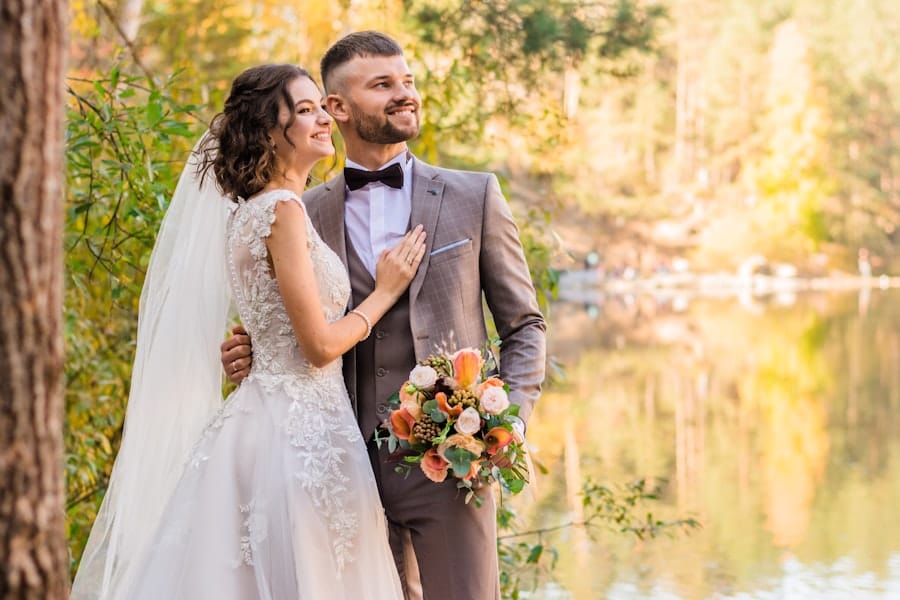
Once you’ve chosen a website builder, it’s time to dive into the design process. The design of your wedding website should reflect your personality as a couple while also being functional for your guests. Start by selecting a theme that resonates with your wedding style—whether it’s rustic, modern, or vintage. Most website builders offer a variety of templates tailored for weddings, so take your time exploring different options.
When designing your site, keep user experience in mind. Ensure that navigation is intuitive and that important information is easy to find. Use high-quality images of you and your partner to create a warm and inviting atmosphere. Additionally, consider incorporating elements like color schemes and fonts that align with your wedding’s theme. A cohesive design will not only make your website visually appealing but will also enhance the overall experience for your guests.
Adding Important Information
With the design in place, it’s time to populate your wedding website with essential information. Start by including details about the ceremony and reception venues, including addresses and directions. This will help guests plan their travel and accommodations accordingly. Don’t forget to add the date and time of the event prominently on the homepage so that it’s easily visible.
In addition to logistical details, consider sharing your love story on the website. This personal touch allows guests to connect with you as a couple and adds depth to the overall experience. You might include how you met, memorable moments from your relationship, or even anecdotes about the proposal. Sharing these stories not only engages your guests but also creates a sense of intimacy that enhances their anticipation for the big day.
Managing RSVPs and Guest List
| Step | Action | Details | Tools/Platforms | Estimated Time |
|---|---|---|---|---|
| 1 | Choose a Platform | Select a free wedding website builder with customizable templates | Zola, The Knot, Wix, WeddingWire | 10-15 minutes |
| 2 | Create an Account | Sign up using email or social media accounts | Platform-specific signup | 5 minutes |
| 3 | Select a Template | Pick a design that matches your wedding theme | Built-in templates on chosen platform | 10-20 minutes |
| 4 | Customize Content | Add event details, photos, RSVP forms, and registry links | Platform editor tools | 30-60 minutes |
| 5 | Set Privacy Settings | Control who can view or RSVP on your site | Privacy options on platform | 5-10 minutes |
| 6 | Publish Website | Make your site live and share the URL with guests | Publish button on platform | 5 minutes |
| 7 | Update as Needed | Modify details or add new information as wedding plans evolve | Platform editor | Ongoing |
One of the most practical features of a wedding website is the ability to manage RSVPs and guest lists efficiently. Many website builders offer built-in RSVP forms that allow guests to confirm their attendance with just a few clicks.
This feature simplifies the process for both you and your guests, eliminating the need for cumbersome paper invitations or phone calls.
When setting up your RSVP form, be sure to include options for meal preferences or any special accommodations guests may need. This information will help you finalize seating arrangements and cater to everyone’s needs on your special day. Additionally, consider creating a guest list section on your website where you can track responses in real-time. This way, you can stay organized and ensure that no one is overlooked as you prepare for your celebration.
Sharing Photos and Stories
After the wedding day has come and gone, your website can continue to serve as a cherished space for memories. Consider creating a gallery section where you can share photos from the ceremony and reception. This allows guests who may not have been able to attend to feel included in your celebration. You can also invite guests to upload their own photos from the event, creating a collaborative album that captures different perspectives of your special day.
In addition to photos, think about sharing stories or testimonials from friends and family about their experiences at the wedding. This adds an extra layer of sentimentality to your site and allows loved ones to reminisce about the joyous occasion. By keeping this section updated with new content over time, you’ll create an ongoing narrative of your journey as a couple that can be revisited for years to come.
Integrating Registry and Gift Information
Another important aspect of your wedding website is integrating registry and gift information for your guests. Many couples choose to create registries at various retailers or online platforms where guests can purchase gifts for them. Including links to these registries on your website makes it easy for guests to find and select gifts that align with your preferences.
When adding registry information, be transparent about what you’re looking for—whether it’s traditional gifts, experiences, or contributions toward a honeymoon fund. You might also consider including a section on etiquette regarding gifts, reassuring guests that their presence is what matters most to you. By providing clear guidance on gift-giving while maintaining an open-hearted approach, you’ll help ensure that everyone feels comfortable participating in this aspect of your celebration.
Tips for Promoting Your Wedding Website
Once your wedding website is up and running, it’s time to share it with the world! Start by including the URL on save-the-date cards or invitations so that guests know where to find all the necessary information about your big day. You can also share the link on social media platforms where friends and family can easily access it.
Consider creating an email newsletter to keep guests updated on any changes or additional details leading up to the wedding day. This is especially useful if there are changes in venue or schedule due to unforeseen circumstances. Encourage guests to visit the site regularly for updates and reminders as the date approaches.
In conclusion, creating a wedding website is an exciting way to share your love story while providing essential information for your guests. By choosing the right website builder, designing an inviting layout, adding important details, managing RSVPs effectively, sharing memories post-wedding, integrating registry information thoughtfully, and promoting your site effectively, you’ll create a valuable resource that enhances the overall experience of your special day. Remember that this process should be enjoyable—embrace the journey of building something beautiful together as you prepare for one of life’s most significant milestones! For more tips on wedding planning or website creation, check out our related resources!
FAQs
What is a wedding website?
A wedding website is a personalized online platform where couples can share details about their wedding, such as the date, venue, schedule, RSVP options, gift registries, and other important information for guests.
Why should I create a wedding website?
A wedding website helps keep all wedding-related information organized and easily accessible for your guests. It can streamline communication, reduce the number of phone calls or emails, and provide a central place for updates and details.
Can I create a wedding website for free?
Yes, many platforms offer free wedding website templates and hosting. These free options typically include basic features like customizable designs, RSVP management, and event details.
What information should I include on my wedding website?
Common information includes the wedding date and location, schedule of events, accommodation details, RSVP forms, gift registry links, dress code, transportation options, and contact information.
Do I need technical skills to create a free wedding website?
No, most free wedding website builders are user-friendly and designed for people without technical expertise. They often provide drag-and-drop editors and pre-designed templates to simplify the process.
Are free wedding websites customizable?
Yes, free wedding website platforms usually offer a variety of templates and customization options such as colors, fonts, photos, and layout choices to match your wedding theme.
Can guests RSVP through a free wedding website?
Many free wedding website services include RSVP functionality, allowing guests to respond online, which helps you keep track of attendance easily.
Is my personal information safe on a free wedding website?
Reputable wedding website platforms use secure servers and encryption to protect your data. However, it’s important to review the privacy policies of the service you choose.
Can I link my wedding website to social media?
Yes, most wedding website builders allow you to share your site on social media platforms or send the link via email to invite guests.
Will my free wedding website have ads?
Some free wedding website services may display ads, while others offer ad-free experiences. Check the terms of the platform you select to understand if ads will appear.
Leave a Reply