

WordPress is a widely-used content management system that powers approximately 40% of all websites on the internet. The platform offers two main versions: WordPress.com, a hosted solution, and WordPress.org, a self-hosted option that provides greater control and customization capabilities. The platform features a dashboard-based interface that allows users to create and manage content without programming knowledge.
Users can modify their site’s appearance through themes, which are pre-designed templates that control layout, typography, and visual elements. WordPress functionality can be extended through plugins, which are software add-ons that provide additional features such as contact forms, search engine optimization tools, e-commerce capabilities, and security enhancements.
The WordPress.org repository contains over 58,000 free plugins and 9,000 free themes. The platform supports multiple user roles including administrator, editor, author, contributor, and subscriber, enabling collaborative content management. WordPress includes built-in SEO features such as customizable permalinks, meta descriptions, and XML sitemaps.
The system is responsive by default, ensuring websites display properly across desktop and mobile devices. Most web hosting providers offer WordPress installation through automated setup tools, typically completing the process within minutes. The platform requires PHP version 7.4 or higher and MySQL version 5.6 or MariaDB version 10.1 to function properly.
Regular updates are released to address security vulnerabilities and add new features.
Key Takeaways
- Select a website builder that fits your technical skills and business needs.
- Choose a memorable and relevant domain name to enhance your brand identity.
- Design a user-friendly layout with appealing colors and fonts to engage visitors.
- Add high-quality content, images, and integrate social media and contact forms for better interaction.
- Optimize your site for SEO before publishing and actively promote it to attract traffic.
Selecting a Domain Name
Once you’ve decided on WordPress as your website builder, the next step is selecting a domain name. Your domain name is your website’s address on the internet, and it plays a significant role in how visitors perceive your brand. A good domain name should be memorable, easy to spell, and reflective of your content or business.
Take some time to brainstorm ideas that resonate with your target audience and encapsulate the essence of what you offer. When choosing a domain name, consider keeping it short and avoiding complex words or phrases. This will make it easier for users to remember and type into their browsers.
Additionally, think about incorporating relevant keywords that describe your niche; this can help with search engine optimization (SEO) later on. Once you have a few options in mind, check their availability using a domain registrar like GoDaddy or Namecheap. If your desired name is taken, don’t be discouraged—try variations or consider using different domain extensions like .net or .co. Need a free website? Click here.
Designing Your Website Layout
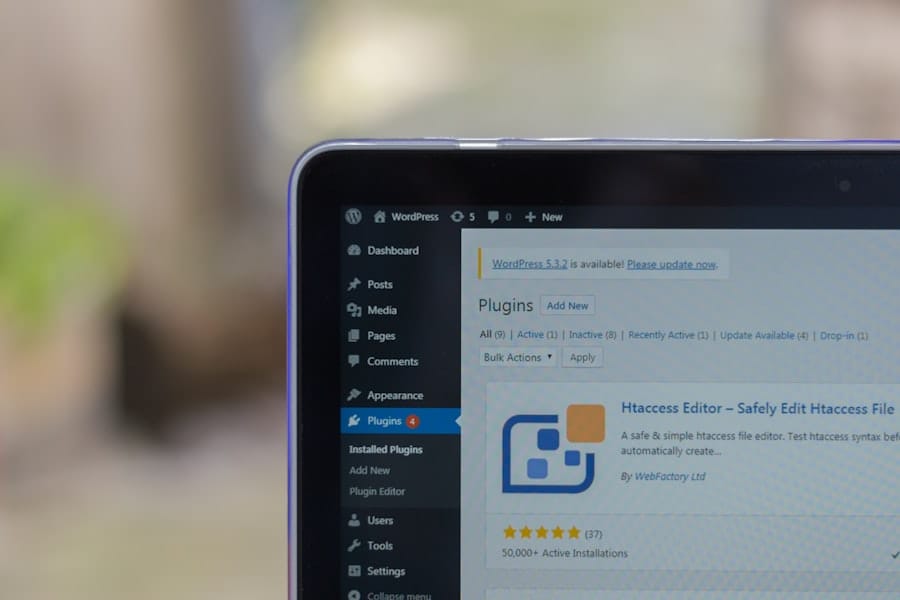
With your domain name secured, it’s time to focus on designing your website layout. The layout is crucial because it dictates how users navigate your site and interact with your content. WordPress offers a variety of themes that come with pre-designed layouts, making it easy for beginners to get started.
When selecting a theme, look for one that aligns with your vision and provides a clean, intuitive user experience. As you design your layout, think about the key elements you want to include on your homepage. Common components are a header with your logo, a navigation menu, and sections for featured content or services.
It’s essential to create a logical flow that guides visitors through your site seamlessly. Consider using visual hierarchy—larger fonts for headings and contrasting colors for buttons—to draw attention to important areas. Remember, the goal is to create an inviting space that encourages users to explore further.
Customizing Your Website’s Color Scheme and Fonts
Once you’ve established the basic layout of your website, it’s time to customize its color scheme and fonts. The colors you choose can evoke specific emotions and set the tone for your brand. For instance, blue often conveys trust and professionalism, while green can represent growth and tranquility.
Use color theory to select a palette that aligns with your brand identity and appeals to your target audience. In addition to colors, selecting the right fonts is equally important. Fonts can significantly impact readability and overall aesthetics.
WordPress allows you to choose from various font styles through themes or plugins like Google Fonts.
Ensure that your font choices are legible across different devices and screen sizes; this will enhance user experience and keep visitors engaged.
Adding Content and Images
| Customization Aspect | Description | Typical Options | Impact on User Experience |
|---|---|---|---|
| Template Selection | Choosing a base design layout for the website | Business, Portfolio, Blog, E-commerce | Sets overall look and feel; affects navigation ease |
| Color Scheme | Adjusting colors to match branding or preference | Predefined palettes, custom color pickers | Enhances visual appeal and brand recognition |
| Typography | Selecting fonts and text styles | Google Fonts, system fonts, font size and weight | Improves readability and tone of content |
| Layout Customization | Modifying page structure and element placement | Drag-and-drop editors, grid systems, column adjustments | Optimizes content flow and user engagement |
| Content Editing | Adding and modifying text, images, and media | WYSIWYG editors, media upload tools | Delivers relevant information and visual interest |
| Navigation Menu | Customizing menu items and hierarchy | Dropdown menus, sidebar menus, footer links | Facilitates easy site exploration |
| Plugins and Widgets | Adding extra functionality like forms or social feeds | Contact forms, social media buttons, chat widgets | Enhances interactivity and user engagement |
| SEO Settings | Optimizing site for search engines | Meta tags, keywords, alt text for images | Improves site visibility and traffic |
| Mobile Responsiveness | Ensuring site works well on mobile devices | Responsive templates, mobile previews | Increases accessibility and user satisfaction |
| Custom Domain | Using a personalized web address | Free subdomain or custom domain (may require upgrade) | Boosts professionalism and brand trust |
Now that you’ve set the stage with design elements, it’s time to fill your website with content and images. Quality content is the backbone of any successful website; it informs, engages, and converts visitors into loyal followers or customers. Start by creating essential pages such as an About page, Contact page, and any service or product pages relevant to your niche.
Use clear headings and concise paragraphs to make your content easy to read. Images play a vital role in enhancing your website’s appeal and breaking up text-heavy sections. Use high-quality images that are relevant to your content; stock photo websites like Unsplash or Pexels offer free options if you’re on a budget.
Additionally, consider optimizing images for faster loading times by compressing them without sacrificing quality. This not only improves user experience but also positively impacts SEO.
Integrating Social Media and Contact Forms
To foster engagement and build a community around your website, integrating social media links and contact forms is essential. Social media platforms are powerful tools for promoting your content and connecting with your audience outside of your website. WordPress makes it easy to add social media icons in prominent locations like the header or footer of your site.
Ensure these links lead directly to your active social media profiles so visitors can follow you effortlessly. Contact forms are another critical component for encouraging communication with your audience. Whether you’re looking to gather feedback, answer inquiries, or build an email list, having a contact form simplifies the process for users.
WordPress offers various plugins like Contact Form 7 or WPForms that allow you to create customizable forms without any coding knowledge. Make sure to place these forms strategically on your site—such as on the Contact page or within blog posts—to maximize visibility.
Optimizing Your Website for SEO
As you prepare to launch your website, optimizing it for search engines is vital for attracting organic traffic. SEO (Search Engine Optimization) involves various strategies aimed at improving your site’s visibility in search engine results pages (SERPs). Start by conducting keyword research using tools like Google Keyword Planner or Ubersuggest to identify relevant keywords related to your niche.
Incorporate these keywords naturally into your content, headings, and meta descriptions without overstuffing them. Additionally, ensure that each page has a unique title tag and meta description that accurately reflects its content while enticing users to click through from search results. Don’t forget about technical SEO aspects such as optimizing image alt tags and ensuring fast loading times—these factors contribute significantly to user experience and search rankings.
Publishing and Promoting Your Website
After all the hard work you’ve put into designing and optimizing your website, it’s time for the exciting moment of publishing! Before hitting that publish button, double-check all links, images, and content for accuracy and functionality. Once you’re confident everything is in order, go ahead and make your site live for the world to see.
Promotion is key to driving traffic to your newly launched website. Share it across your social media platforms, engage with online communities related to your niche, and consider guest blogging on other sites to reach new audiences. You can also explore paid advertising options like Google Ads or Facebook Ads if you’re looking for quicker visibility.
Remember that building an audience takes time; stay consistent with your efforts and continue creating valuable content that resonates with your visitors. In conclusion, creating a free website using WordPress is an achievable goal that anyone can accomplish with the right guidance and resources. By following these steps—from choosing the right website builder to promoting your site—you’ll be well on your way to establishing an online presence that reflects your unique voice or business vision.
For further assistance or more in-depth tutorials on specific topics like SEO or content creation, feel free to explore our related resources!
FAQs
What does customizing a free website involve?
Customizing a free website typically involves modifying the design, layout, colors, fonts, and content to better suit your personal or business needs. This can include adding images, changing text, adjusting navigation menus, and integrating widgets or plugins offered by the website builder.
Are there limitations when customizing a free website?
Yes, free website plans often come with limitations such as restricted access to advanced design features, limited storage and bandwidth, mandatory display of the website builder’s branding or ads, and fewer options for custom domain names.
Can I use my own domain name with a free website?
Most free website builders do not allow you to use a custom domain name without upgrading to a paid plan. Free websites usually have a subdomain (e.g., yoursite.buildername.com) instead of a personalized domain.
Is it possible to add e-commerce features to a free website?
While some free website builders offer basic e-commerce features, these are often limited in functionality. For full e-commerce capabilities like payment processing, inventory management, and advanced customization, upgrading to a paid plan is usually necessary.
Do I need coding skills to customize a free website?
No, most free website builders are designed for users without coding experience. They provide drag-and-drop editors and pre-designed templates that make customization straightforward. However, some platforms allow advanced users to add custom HTML, CSS, or JavaScript if desired.
Can I change my website’s design after publishing it?
Yes, you can typically update and customize your website’s design at any time, even after it is published. Changes are usually saved and published instantly or after you choose to update the live site.
Will customizing a free website affect its loading speed?
Adding many images, videos, or complex widgets can slow down your website’s loading speed. It’s important to optimize media files and avoid excessive elements to maintain good performance, especially on free hosting plans.
Is customer support available for free website customization?
Customer support for free website plans is often limited compared to paid plans. Support may be available through community forums, FAQs, or email, but direct phone or live chat support is usually reserved for paying customers.
Can I switch from a free website to a paid plan later?
Yes, most website builders allow you to upgrade from a free plan to a paid plan at any time. Upgrading typically unlocks additional customization options, removes ads, and enables the use of a custom domain name.
Leave a Reply